The JavaScript bridge
run_script handles Ruby→JS communication for simple cases. For JS→Ruby you need a bridge — a mechanism for JavaScript to send messages back to your Ruby code. This lesson covers three approaches, progressively more capable, each demonstrated in a separate working app.
Demo 1 — Navigation interception
The simplest approach requires no setup at all. JavaScript sets window.location to a custom URL scheme. Ruby intercepts the navigation in evt_webview_navigating, cancels it, and handles the message.
JavaScript:
|
|
Ruby:
|
|
This works on all platforms with no WebKit-specific setup. The limitations are that it is one direction only (JS→Ruby) and URL length restricts payload size. It is a good fit for simple notification-style messages.
See bridge_demo_1.rb for a working demonstration.
Demo 2 — Script message handler
WebKit’s native message passing mechanism. JavaScript posts structured JSON to a named handler; Ruby receives it in evt_webview_script_message_received. Ruby can respond by calling run_script to invoke a JavaScript function directly.
The critical timing rule: add_script_message_handler must be called inside evt_webview_loaded, not during frame initialisation. Calling it earlier results in the handler silently not being registered.
|
|
JavaScript — sending to Ruby:
|
|
Ruby — responding to JS:
|
|
This approach has no payload size limit and is cleaner than URL interception. Ruby→JS is still fire-and-forget via run_script — there is no way to get a return value back from JS. That requires the full JsBridge pattern.
See bridge_demo_2.rb for a working demonstration.
Demo 3 — JsBridge
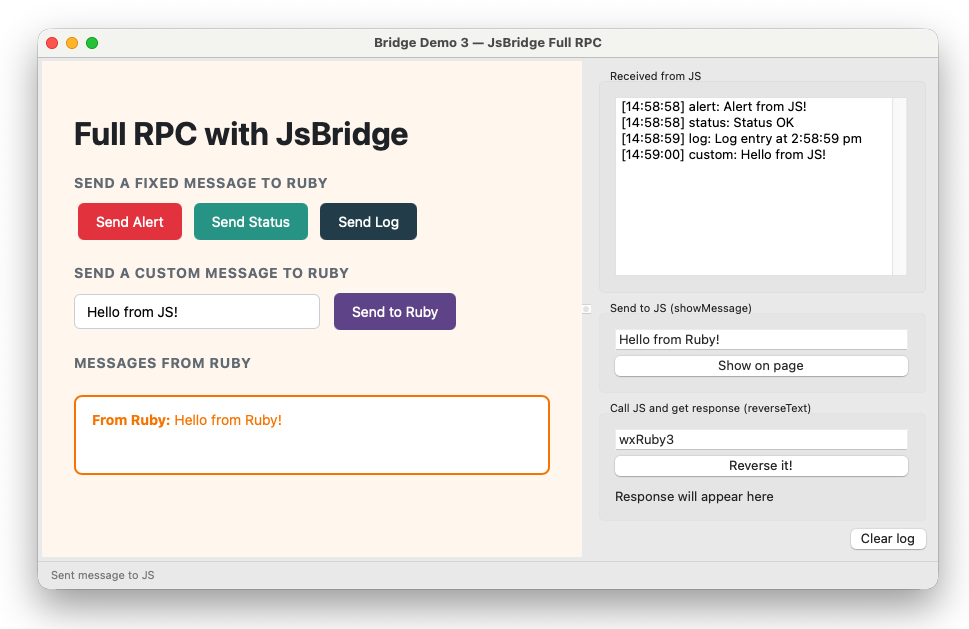
The JsBridge class wraps the message handler into a clean bidirectional RPC system. Ruby can call JS methods and receive responses. JS can emit events to Ruby. Both sides are fully symmetrical.
|
|
Wire it up inside evt_webview_loaded:
|
|
The ready pattern
Notice that Ruby triggers the ready event via run_script after registering the handler — it does not rely on JS emitting ready at the end of the page script.
This is critical. By the time evt_webview_loaded fires, the page’s <script> block has already executed. If JS calls RubyBridge.emit('ready', {}) at the bottom of the script, the message handler is not yet registered and the message is silently dropped. Ruby never sees it and nothing works.
The correct pattern is always:
|
|
And start all Ruby-side work inside @bridge.on('ready'):
|
|
Ruby calling JS with a response
|
|
The callback receives the return value of the JS function. This is true RPC — Ruby gets a value back from JavaScript.
JS registering methods Ruby can call
|
|
JS emitting events to Ruby
|
|
|
|
See bridge_demo_3.rb, js_bridge.rb and js_bridge_client.js for the complete implementation.
Choosing an approach
| Situation | Approach |
|---|---|
| Simple one-way JS→Ruby notifications | Navigation interception |
JS→Ruby with Ruby responding via run_script |
Script message handler |
| Full bidirectional RPC with responses | JsBridge |
| Real app with multiple methods and events | JsBridge |
Navigation interception is useful for quick experiments. For anything beyond a few message types, use JsBridge — it scales cleanly and the Ruby side stays readable.
Previous: WebView basics | Next: Live data with Chart.js