WebView basics
Wx::WEB::WebView embeds a full browser engine in your desktop app. On macOS and Linux it uses WebKit; on Windows it uses the Edge WebView2 runtime. The result is a widget that can render any modern web page, execute JavaScript, load external resources, and display content indistinguishable from a browser tab.
This is categorically different from Wx::HTML::HtmlWindow. HtmlWindow is a lightweight renderer supporting a useful subset of HTML. WebView is a full browser — everything that works in Chrome or Safari works in a WebView.
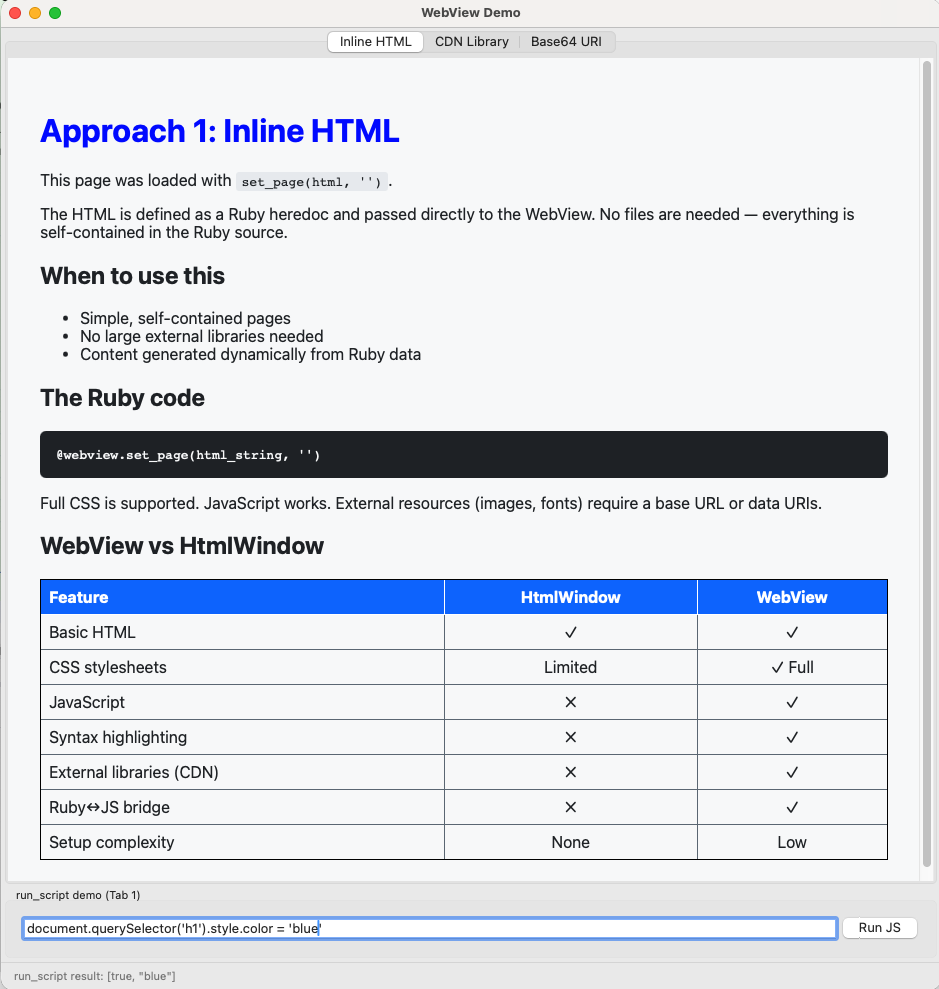
Here’s our first sample
Creating a WebView
The widget lives in the Wx::WEB namespace:
|
|
Pass 'about:blank' as the initial URL — loading content before the WebView is fully initialised can cause issues on some platforms.
Three ways to load content
Approach 1 — Inline HTML with set_page
|
|
set_page(html, base_url) loads an HTML string directly. The second argument is a base URL used to resolve relative resources — pass '' for fully self-contained pages. This is the simplest approach and works well for pages with no external dependencies.
Approach 2 — CDN-hosted libraries
Include third-party JavaScript libraries via CDN script tags:
|
|
The WebView fetches the library over the network at page load time. This requires internet access but keeps your app small — no library files to bundle. Use this approach whenever network access is available.
Approach 3 — Base64 data URI
Encode the complete HTML page as base64 and load via load_url:
|
|
This is the most reliable cross-platform approach. set_page has known issues with some WebKit versions — inline scripts may not execute consistently. load_url with a base64 data URI works identically on macOS, Windows, and Linux.
Rule of thumb: Use
set_pagefor simple static content. Useload_urlwith base64 encoding whenever the page contains JavaScript that must execute reliably.
For local asset files (Leaflet.js, custom CSS), encode them as base64 and inline them as data URIs in the HTML:
|
|
This eliminates all file path issues and makes your app fully self-contained.
WebView events
Register event handlers before loading content:
|
|
Always check for about:blank in evt_webview_loaded — it fires for the initial blank page too.
Running JavaScript from Ruby
run_script executes JavaScript in the WebView and returns the result:
|
|
run_script should only be called after evt_webview_loaded fires — never during page load. It may produce log noise on some platforms; suppress it by temporarily lowering the log level:
|
|
This pattern is encapsulated in the JsBridge class introduced in lesson 5.2.
Upgrading the markdown editor
In lesson 4.5 we built a markdown editor using Wx::HTML::HtmlWindow for the preview. Replacing it with WebView is a one-line change in preview_panel.rb — the rest of the app is unchanged:
|
|
The preview immediately improves — proper CSS, better typography, and code blocks that look like code blocks. The capstone in lesson 5.5 shows the full upgrade including syntax highlighting.
See webview_demo.rb for a working demonstration of all three loading approaches with a live run_script test panel.
What to take forward
- Namespace is
Wx::WEB::WebView - Start with
'about:blank', load content after the WebView is initialised set_page(html, '')for simple content;load_url("data:text/html;base64,...")for reliable script execution- CDN script tags for third-party libraries when network is available; base64 data URIs for offline/bundled assets
- Always check
current_url == 'about:blank'inevt_webview_loaded run_scriptonly afterevt_webview_loaded— never during page load
Previous: Module 4 | Next: The JavaScript bridge